Hold to Move: Keyboard Repeat Lab
Why does holding a key sometimes feel uneven?
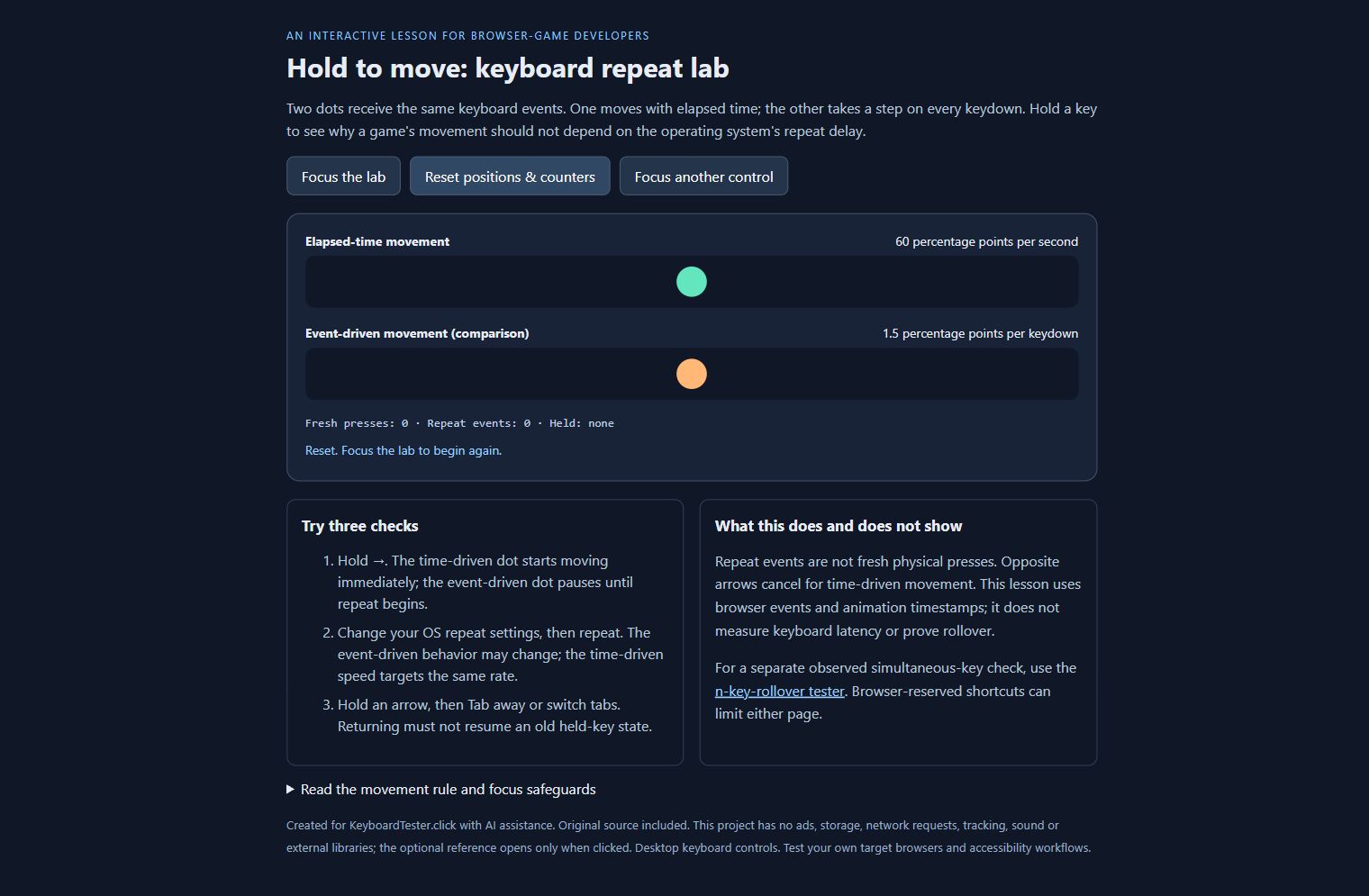
This small interactive lesson compares two browser-game input strategies. The green dot moves from elapsed animation time while an arrow key is held. The orange dot moves one step per keydown event, including repeats. Both receive the same input, but the second strategy can depend on the operating system's repeat delay and rate.
Use the lab
- Select Focus the lab, then hold the left or right arrow.
- Watch the fresh-press and repeat-event counters. Repeated events are not new physical presses.
- Press Tab to leave, or switch browser tabs. Returning should not resume a stale held key.
- Reset the positions and try again. Hold both arrows to cancel time-based movement.
The code deliberately clamps a delayed animation frame to 50 ms, so a long pause does not produce a large jump. That choice trades some wall-clock travel for predictable recovery after a stall. Positions are percentages of the track, not physical distance.
Who it is for
Beginning JavaScript and browser-game developers who want to separate input events from their movement loop. Complete HTML, CSS and JavaScript source is included. No external libraries, account, tracking, storage, audio, or ads are used by the lesson. Desktop keyboard controls are required.
Hardware checks are separate
This is a demonstration of input handling, not a keyboard latency benchmark or a rollover diagnosis. For a separate view of simultaneous keys that reach your browser, use the n-key-rollover tester. Browser shortcuts, layouts and operating-system behavior can affect what either page observes.
Disclosure: I operate KeyboardTester.click. This original educational project was prepared with AI assistance and checked with deterministic state tests plus actual browser keyboard/focus interactions. Those checks do not establish compatibility with every browser or measure physical hardware.
Download
Install instructions
Download and extract the ZIP, then open index.html in a desktop browser. No installation, account or external libraries are needed. README.txt explains the controls and limitations. The HTML, CSS and JavaScript source is included.
Leave a comment
Log in with itch.io to leave a comment.